Getting started with Podbite
Podbite lets you clip moments from podcast episodes and share them as standalone pages — every play still goes back to the show's hosting platform, not trapped inside a social feed.
This guide covers the four things worth doing first.
1. Add your first bite
Open Add bite — or use the + button once you're signed in.
You can find an episode by pasting a URL (Apple Podcasts, Podchaser, or any podcast RSS feed), or by searching with text and selecting from the results.
Once the episode loads:
- Play to find the moment you want to share
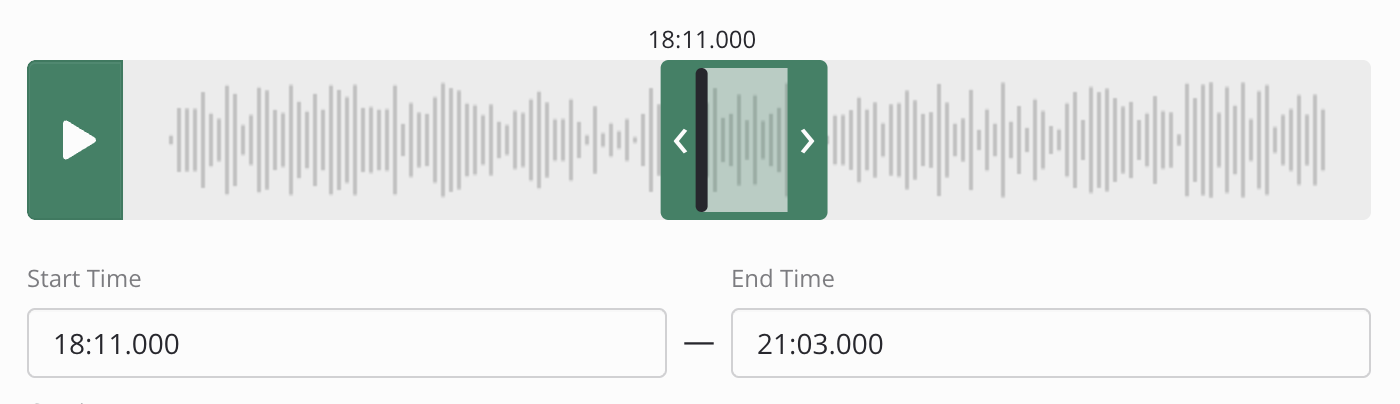
- Set a start time and end time — drag the handles on the player, or type the timecode directly. Scroll (or pinch on a trackpad) to zoom into a section of the timeline for precision; click anywhere in the trimmer region to move the playhead to that point
- Add a caption (this becomes the bite's title in shares and embeds)
- Optionally add a comment — a private note visible only to you, not shown on the public bite page
- Save
The bite is now live at podbite.link/bites/<id>. The page shows the clipped
moment with a player, attribution back to the episode, and links to the show.
2. Share the bite
The owner bar at the top of both the edit page and the public bite page has Social cards, Copy link, and Copy embed actions.

Social card downloads a share image generated from the podcast and episode title, episode artwork, and your bite caption — useful for social posts or newsletters where you want a visual rather than a link or player. Promote subscribers get a 1.91:1 landscape card; Curate and Automate subscribers also get 16:9, 9:16 (portrait), and 1:1 (square) formats. The same action is available on playlist pages, where the card uses the playlist name.
Copy link copies the public bite URL. Share it anywhere — Twitter/X and Mastodon will show a player card directly in the feed; LinkedIn and email will show a rich preview with the episode artwork and your caption. The link opens the bite page and the player works without an account.
Copy embed copies an iframe snippet. Paste it into any site or tool that supports HTML embeds — a personal website, show notes, a Ghost or WordPress post. Platforms that manage their own embeds (Substack, social networks) won't accept it.
3. Your public profile
Set a username in Manage account → Public profile
to activate your public profile at podbite.link/@username. It shows your
recent bites and custom playlists — useful for show notes, a bio page, or a
newsletter footer.
Your profile is only visible while your subscription is active. Your bites stay live and embeddable regardless — only the profile index page goes offline if your subscription lapses.
4. Episode pages and custom playlists
Each episode you add a bite to has its own page at
podbite.link/@username/podcasts/{podcast}/episodes/{episode}, reachable from
the bite itself. There is also a community episode page at
podbite.link/podcasts/{podcast}/episodes/{episode} showing bites from all
users for that episode.
Custom playlists let you group bites across episodes and shows. Create one from
the playlist dropdown in the bite form when adding or editing a bite. Each
playlist has its own public URL at podbite.link/@username/playlists/{id} and
can be shared and embedded the same way as individual bites.
What's next
- See your analytics: once your bites have plays, Analytics shows total plays, completion rate, and which bites are resonating — see Understanding your analytics
- Build a playlist: create a playlist and save bites to it directly from any bite page — see Working with playlists
- Embed your bites: drop bite or playlist embeds into a newsletter or show website
- Automate with the API (Automate plan): manage bites and playlists programmatically — see the API quickstart or the full API reference